Deploying a dApp
You can deploy dApps generated by QuickDApp on IPFS and link them to an ENS domain directly from Remix.
Remix automatically provides a free ENS subdomain under remixdapp.eth for
your dApp with no gas fees required.
Deploying to IPFS
Before you deploy to IPFS, you must have a smart contract compiled and deployed using the Deploy & Run plugin, and a dApp generated by the QuickDApp plugin.
Nota
This guide covers deploying a standard web dApp. When you configure the dApp generation rules, leave the «Create as a Base mini-app» checkbox under «More options» unchecked. If you want to deploy your dApp as a Base mini app instead, see Deploy a Base Mini App.
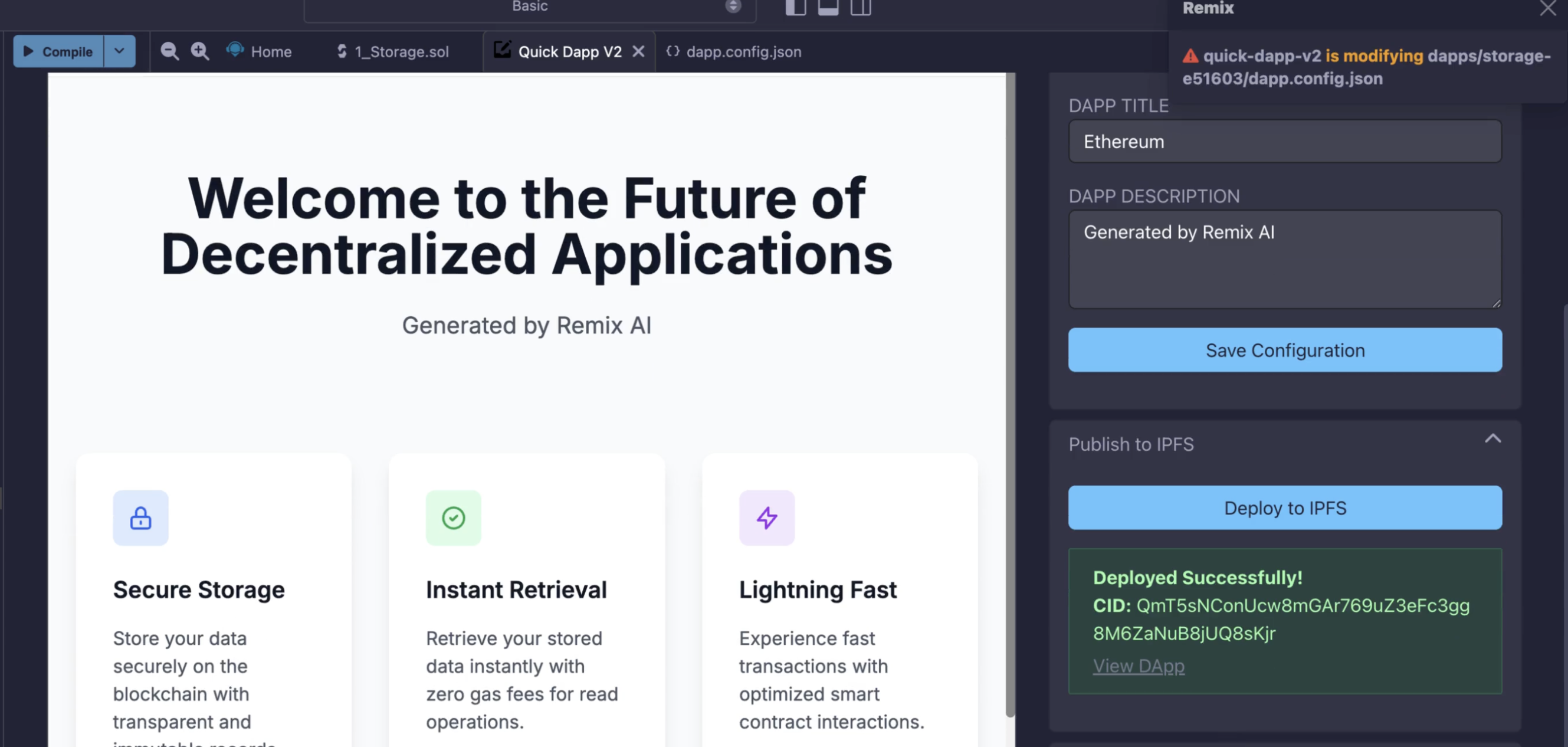
After QuickDApp generates your dApp, expand the «Publish to IPFS» tab below the dApp preview in the QuickDApp tab and click the «Publish to IPFS» button. You can also click «Publish» in the preview toolbar. This bundles and uploads your files to IPFS. Once the upload is complete, a CID (Content Identifier) is returned. This is a unique address that identifies your dApp on the network and is used as the target when registering the ENS subdomain.
Register ENS subdomain
Once your dApp is on IPFS, you can link it to a human-readable ENS subdomain under remixdapp.eth (e.g. myapp.remixdapp.eth) so users can access it without needing the raw CID.
Registration transactions are processed on Arbitrum One (L2), with gas fees covered by the Remix backend, so you pay nothing. To register the subdomain, expand the «Register ENS Name» tab below the dApp preview.
Nota
This tab only becomes visible after the deployment to IPFS is complete.
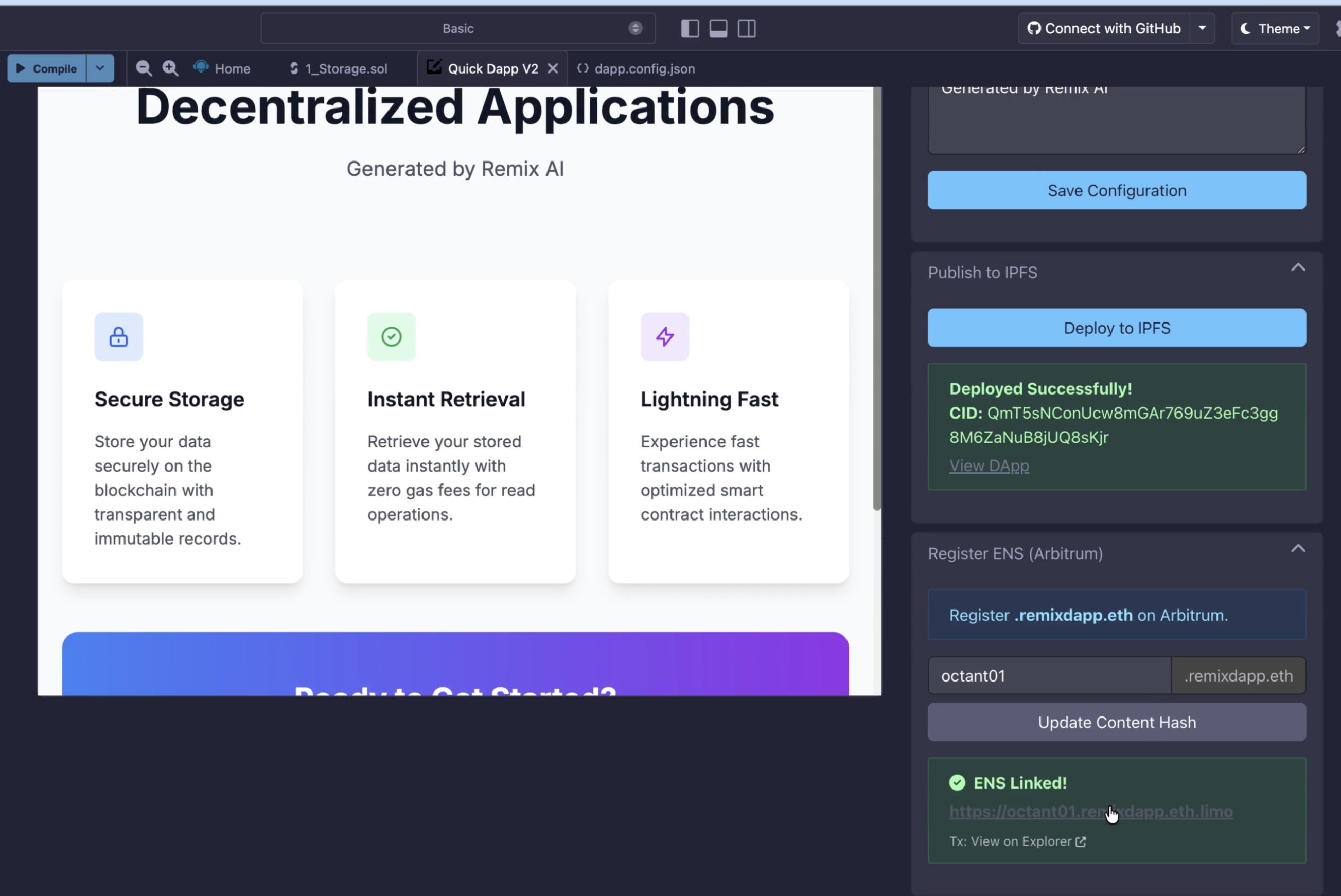
Enter your preferred subdomain name (e.g., bridge.remixdapp.eth) and Remix will check its availability. Once you have selected an available subdomain, click the «Register Subdomain» button and wait for the server to process the registration.
Nota
The returned URLs have .limo appended (e.g. myapp.remixdapp.eth.limo). This is because standard web browsers cannot natively resolve .eth domains. .limo is a gateway service that resolves ENS names and serves the underlying IPFS content over HTTPS.
Your dApp is now live at https://[yourname].remixdapp.eth.limo.
Updating a published dApp
When you change a dApp after publishing it, for example with Ask AI to Update, QuickDApp marks it as Published · Unpublished changes. Your live site keeps showing the last published version until you publish again.
To publish your changes, click «Publish changes» in the preview toolbar, or «Publish to IPFS» in the «Publish to IPFS» tab. This uploads a new build and returns a new CID.
If your dApp already has an ENS subdomain, open the «Register ENS Name» tab and click «Update Content Hash» to point the subdomain at the new CID.