插件管理器
In Remix IDE you only load the functionality you need. Controlling which plugins are active or inactive happens in the Plugin Manager.
这种插件架构可以将 Remix 团队制作的工具与外部团队制作的工具集成在一起使用。这种架构还可以将 Remix 或 Remix 的一部分集成到其他项目中。

管理权限
当插件需要访问其他插件来进行操作时,会出现一个对话框请求您的许可。
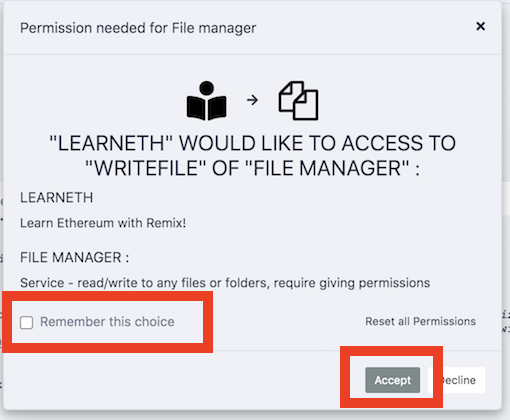
Often, the same plugin will want to do the same action multiple times. So when granting permission, it's helpful to click the Remember this choice box. If you don't, you might get this modal repeatedly popping up.
查看权限
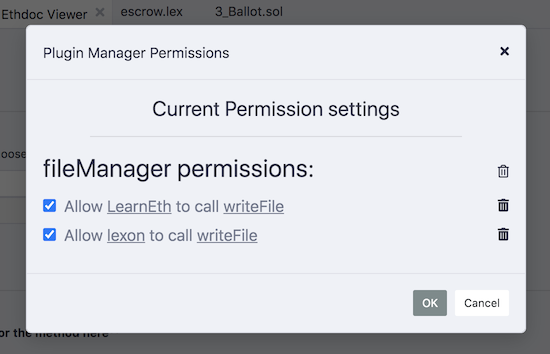
您可以通过单击插件管理器底部的权限按钮来查看您授予插件的权限。
将出现如下图所示的对话框,您可以在其中查看和删除授予的权限。
Plugin devs: load a local plugin
单击插件管理器面板顶部的“连接到本地插件”链接,可以将开发中的插件加载到 Remix IDE中。
To learn more about how to create your own plugin, go to the README of remix-plugin repo.