Remix Workspaces
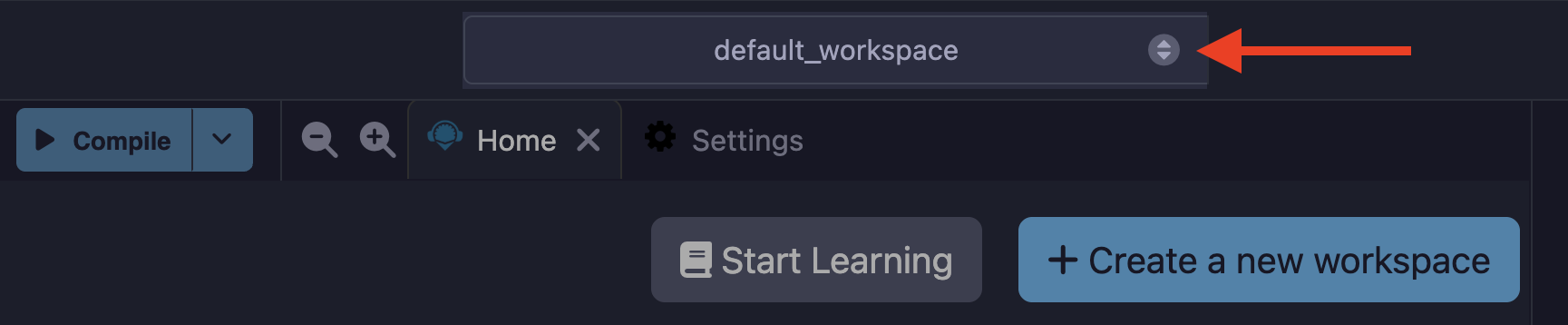
Workspaces in Remix are special folders that separate projects. Files in one workspace cannot import or access files in different workspace. You can select a workspace from the Workspaces dropdown on the Top Bar.
Creating a new Workspace
You can create a new workspace by clicking the Workspaces dropdown and click the «Create a new workspace» button.
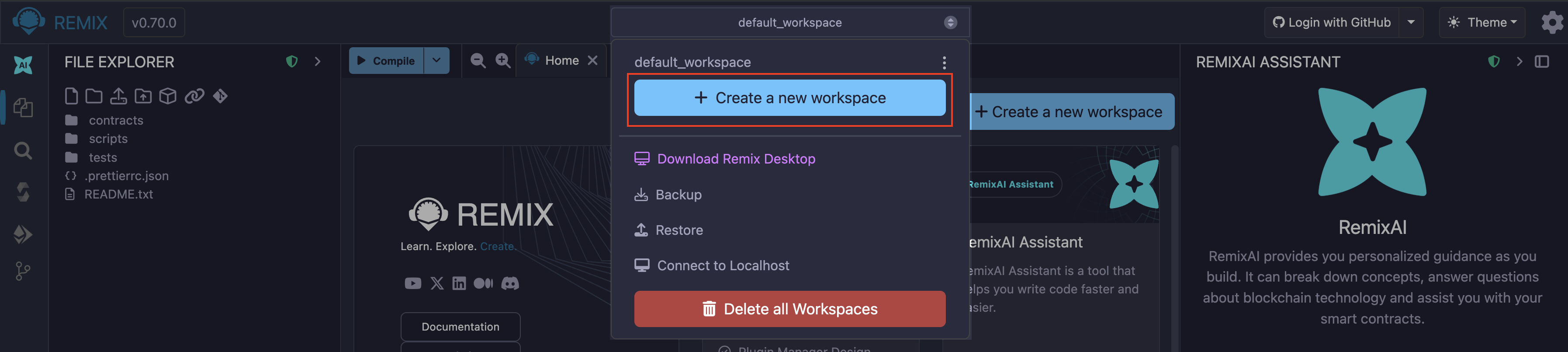
When you click the button, Remix takes you to the Workspace Templates page, where you can create a blank workspace or a workspace from a list of available templates. The available templates include but are not limited to the following:
Remix Generic templates
OpenZeppelin contract wizard (ERC20, ERC721, ERC1155)
Cookbook.dev templates
Gnosis Safe MultiSig template
Zero-Knowledge Proof (ZKP) templates (Circom, Noir, and Generic)
Uniswap v4 templates
Solidity CREATE2 templates
Etherscan scripts for verifying contracts
CI scripts for unit tests and security analysis
When you click the «Create» the button, a modal with customization options will popup. The options differ depending on the template you choose.
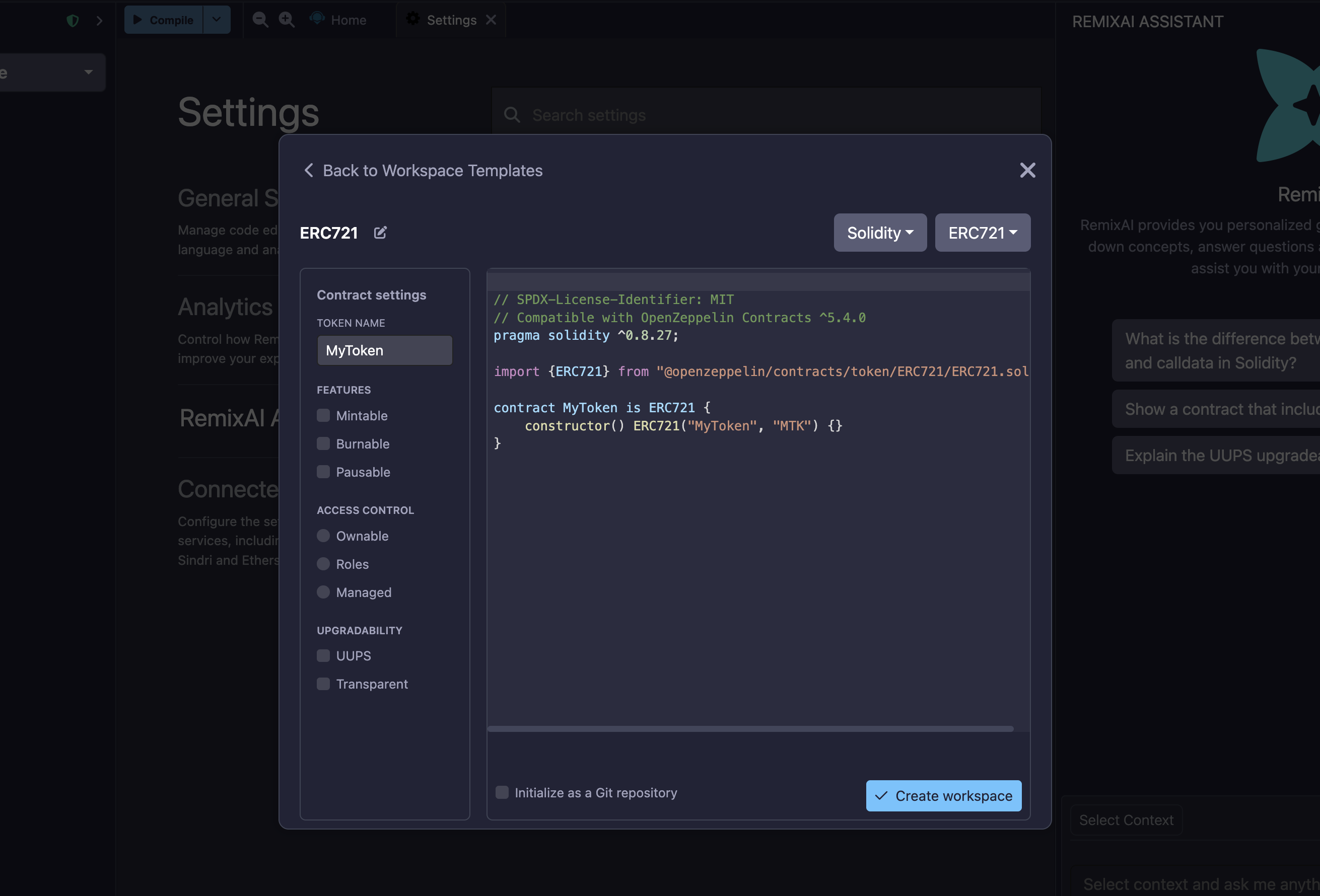
For example, when you create a Workspace with an OpenZeppelin contract wizard, you can add customize the features of the contract you create. The image below shows the options available for customizing an OpenZeppelin ERC721 contract template.
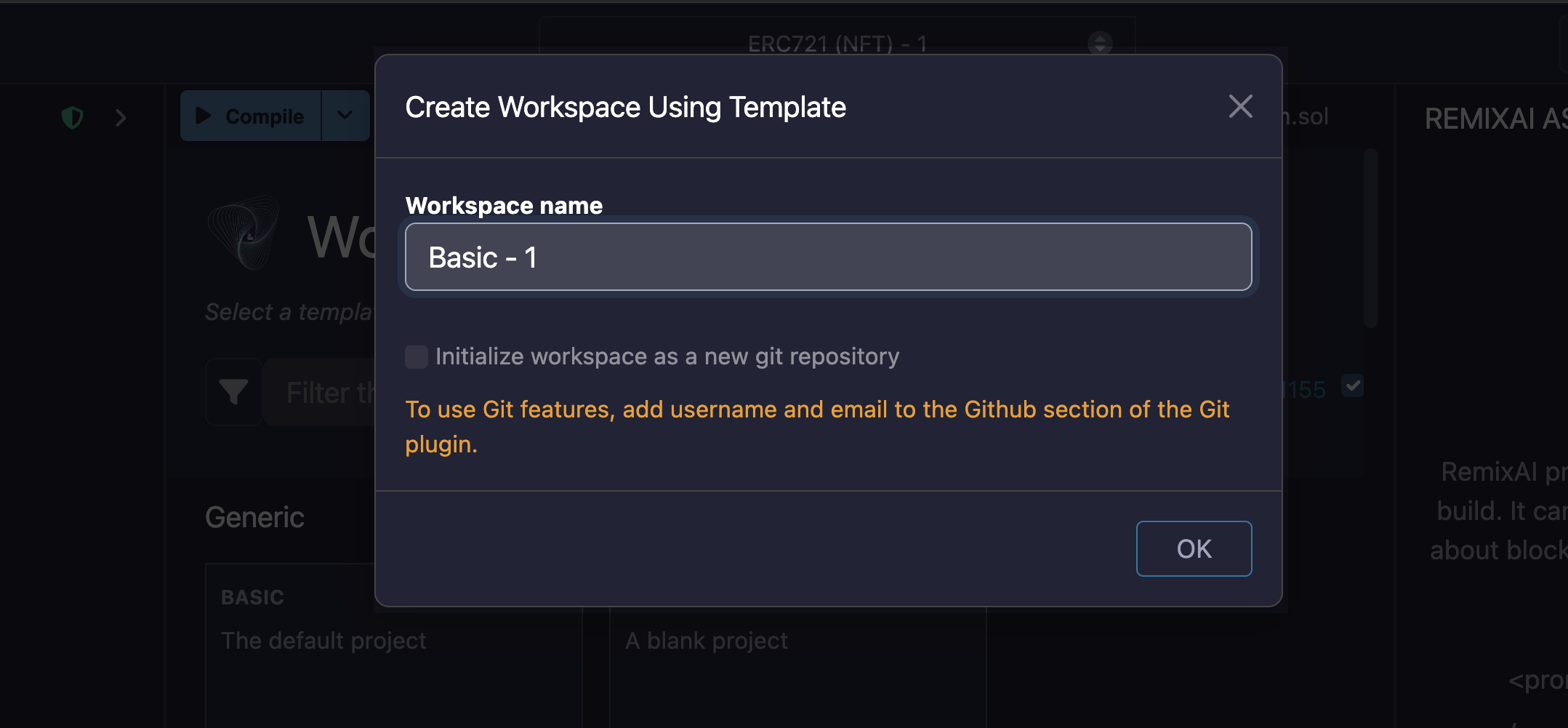
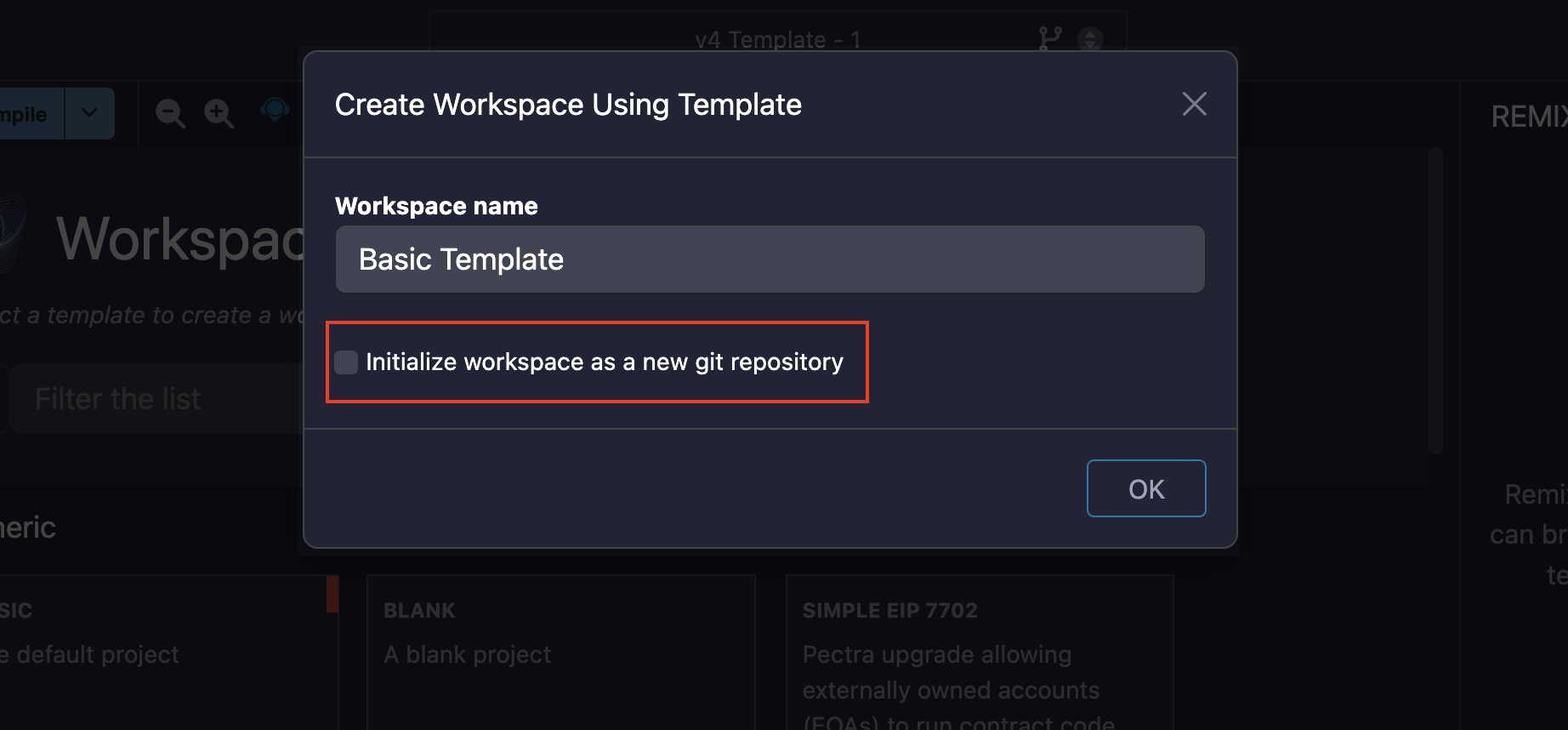
For other templates, the modal only contains a textbox for editing the Workspace name and an option to initialize it with Git.
Совет
You can describe the workspace you want to create to the RemixAI and it will generate it for you. See the RemixAI docs to learn more.
Initializing a Workspace with Git
To initialize a new Workspace for Git, check the box at the bottom of the Create Workspace modal.
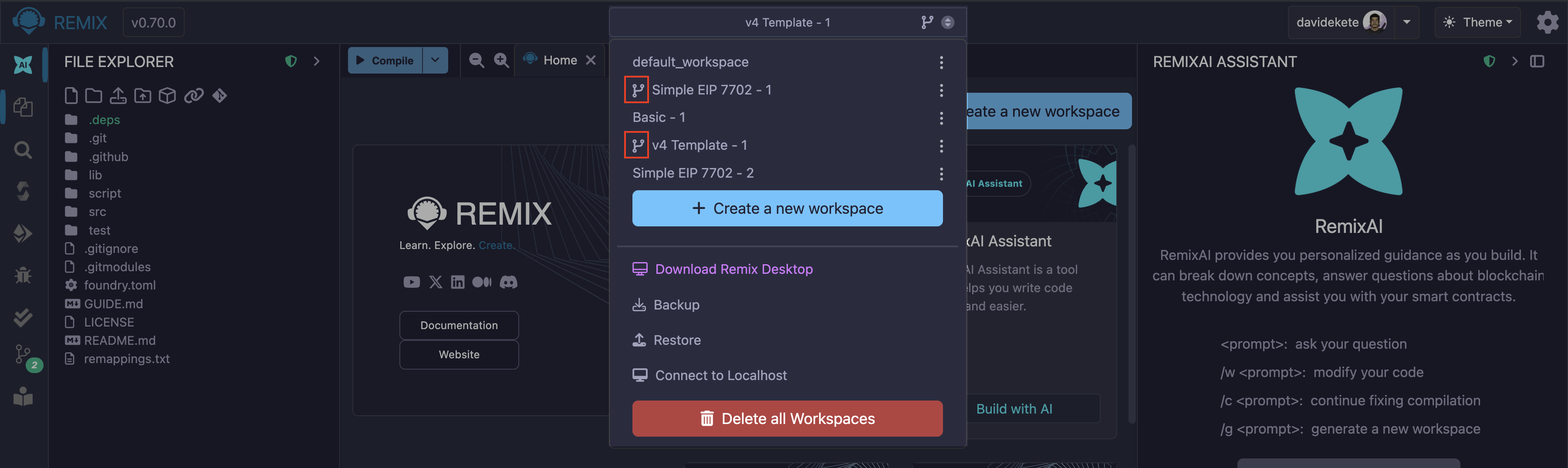
Git initialized workspaces will have the Git icon next to them in the Workspaces selectbox.
Workspace configuration
Each Workspace contains a configuration file named remix.config.json that keeps track of script dependencies and compiler configurations. The file is located at your the root of each workspace. When you want a new Workspace to have the same configuration as an existing one, copy the remix.config.json file from the existing Workspace to the new one.