Deploy a Base Mini App
Warning
This feature is only available to beta testers. Join the Remix beta program to get access.
The dApps generated by QuickDApp can also be deployed as Base mini apps. Deploying your dApp as a Base mini app allows you to embed it in Base App, making it instantly accessible to users without requiring them to visit an external site.
Prerequisites
Before you can deploy your dApp as a Base mini app, you need the following:
A smart contract compiled and deployed using the Deploy & Run plugin.
A UI for your contract generated by QuickDApp.
A browser wallet such as MetaMask or Coinbase Wallet, to own the ENS subdomain. On Remix Desktop, select Browser Wallet in the Deploy & Run environment dropdown and connect it.
Important
When generating your dApp UI in QuickDApp, you must expand “More options” and check the “Create as a Base mini-app” box before clicking “Generate DApp”. Skipping this step will produce a standard dApp that cannot be registered as a mini app.
Deploying as a Base mini app
On the preview page of the generated UI, you will find the Base mini app Setup Wizard. It has three steps: Config, Deploy, and Verify.
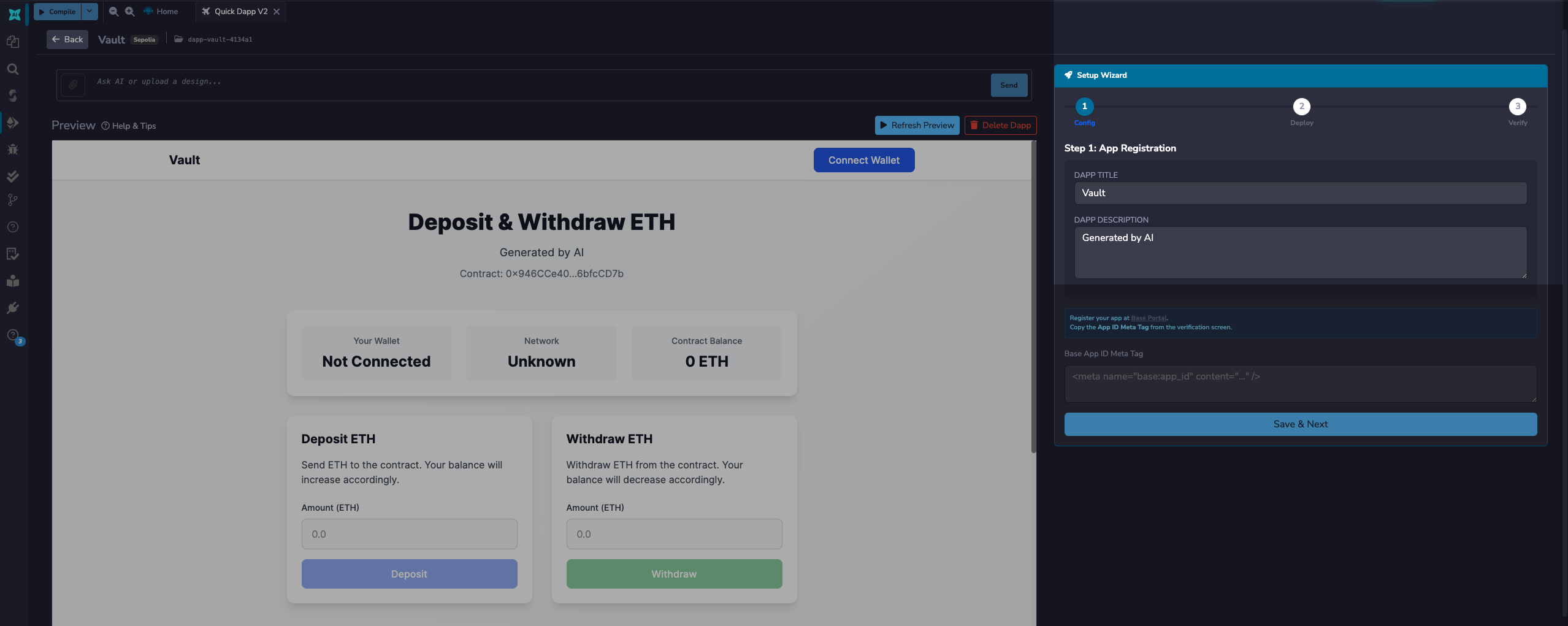
The Config step requires the Base mini-app ID meta tag of an app, in the form <meta name="base:app_id" content="..." />. To get the meta tag of an app, you have to create one on Base.dev.
Creating a Base app
To create a Base app, navigate to base.dev and log in. If you don’t have any existing app you will be prompted to create your first app. If you have existing apps, you will be redirected to the dashboard of your latest app.
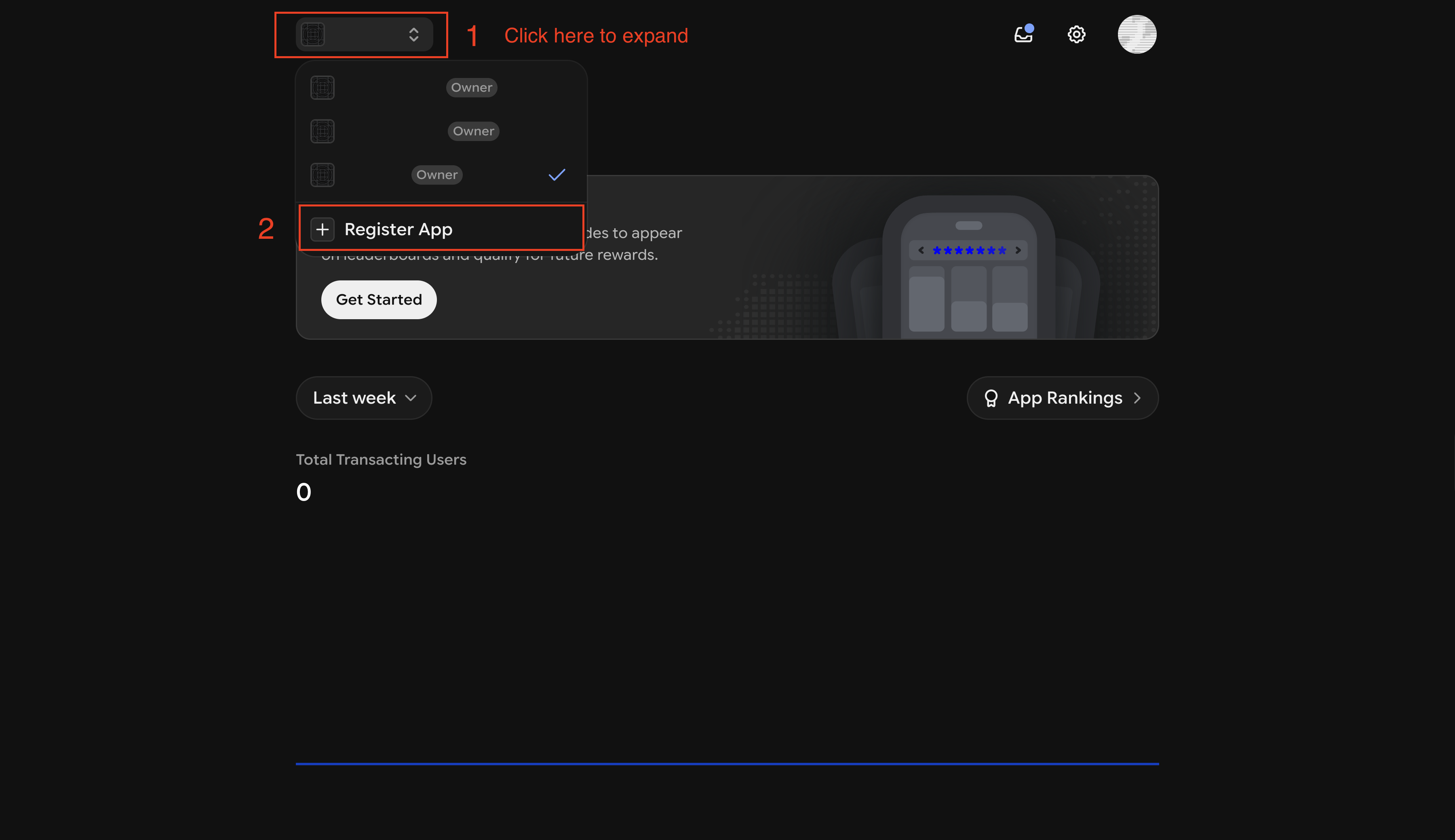
On the dashboard, click the app dropdown, and select “Register new app”
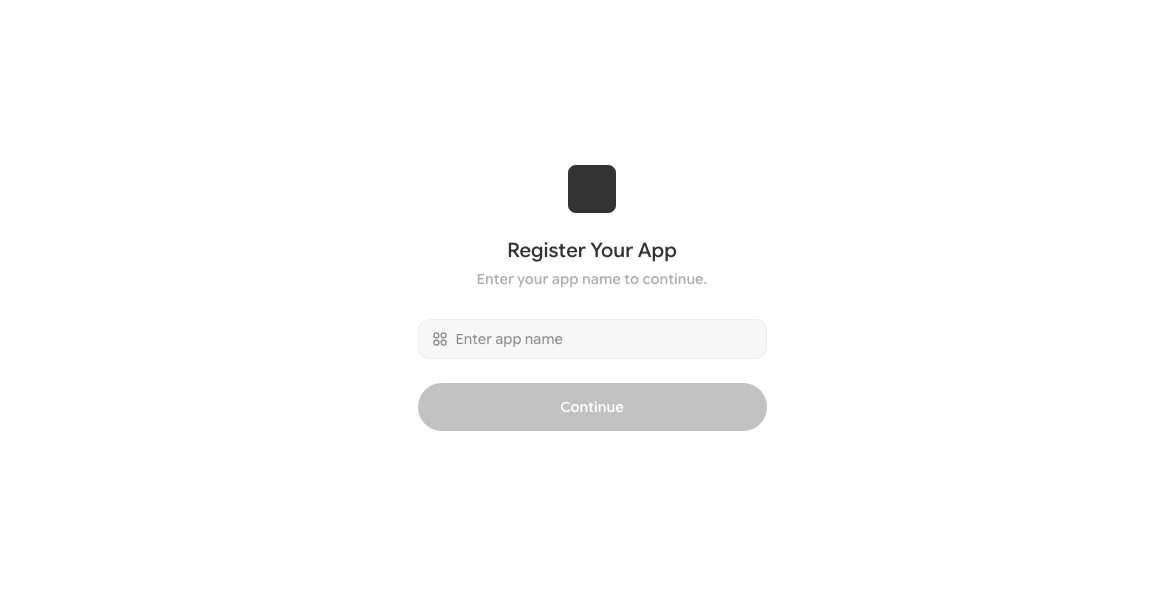
On the next page, name the app, and click “Continue”.
This will take you to the “Add Domain” page.
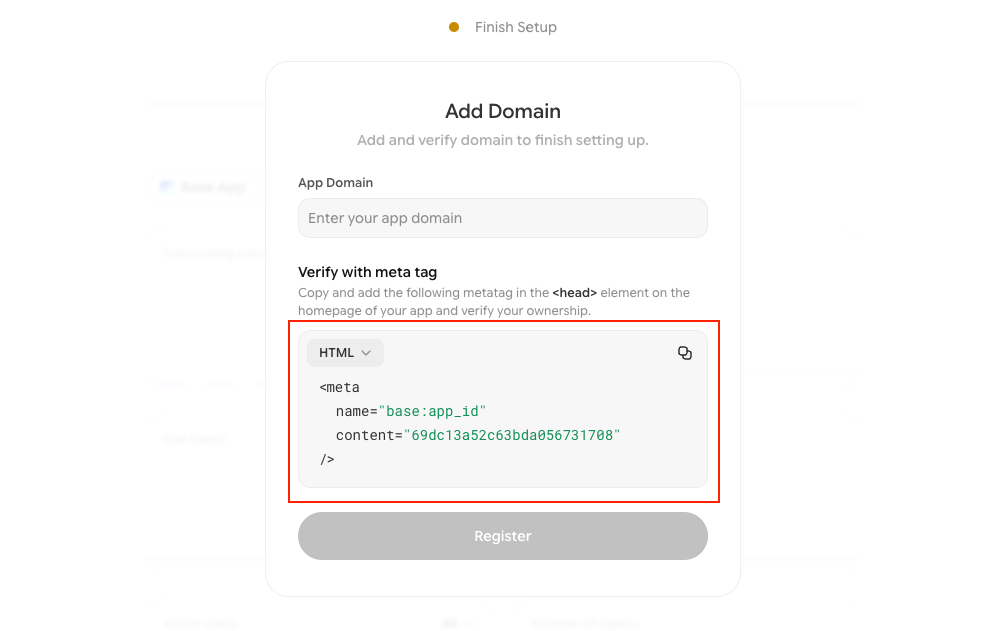
On this page, copy the meta tags, paste it in the setup wizard, and click “Save & Next”.
Note
The App URL should be blank in this step, you will deploy and get the ENS domain in the next step.
Registering an ENS domain
In the Deploy step, you will register an ENS subdomain for free under remixdapp.eth. Choose your preferred name, for example, flashloan -> flashloan.remixdapp.eth and click “Deploy & Next”. A confirmation window opens with the name you chose; review it and click “Register”.
Before you register, choose your subdomain name carefully. Names are unique and first-come, first-served. Once registered, the name is permanently tied to your browser wallet address (MetaMask, Coinbase Wallet, etc.) and cannot be claimed or overwritten by any other wallet. If you already own the name, re-registering it will permanently replace the previous deployment.
For example, if you registered a voting dApp at myvote.remixdapp.eth and later register a token swap dApp under the same name, myvote.remixdapp.eth will resolve to the token swap dApp and the voting dApp will no longer be accessible at that address.
Verifying ownership of the mini app
In the Verify step, you will see your dApp’s deployed URL ending in .limo.
Note
.limo is a gateway service that resolves ENS domains to websites.
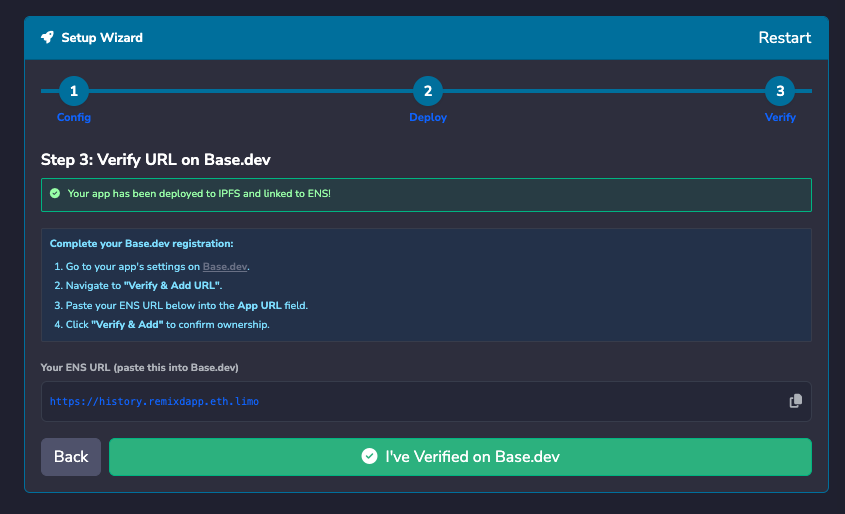
Copy the URL, then go to your app’s settings on Base.dev and open “Verify & Add URL”. Paste the URL in the “App URL” field and click “Verify & Add” to confirm ownership.
Go back to Remix and click the “I’ve Verified on Base.dev” button. Your dApp is now accessible on the Base app.
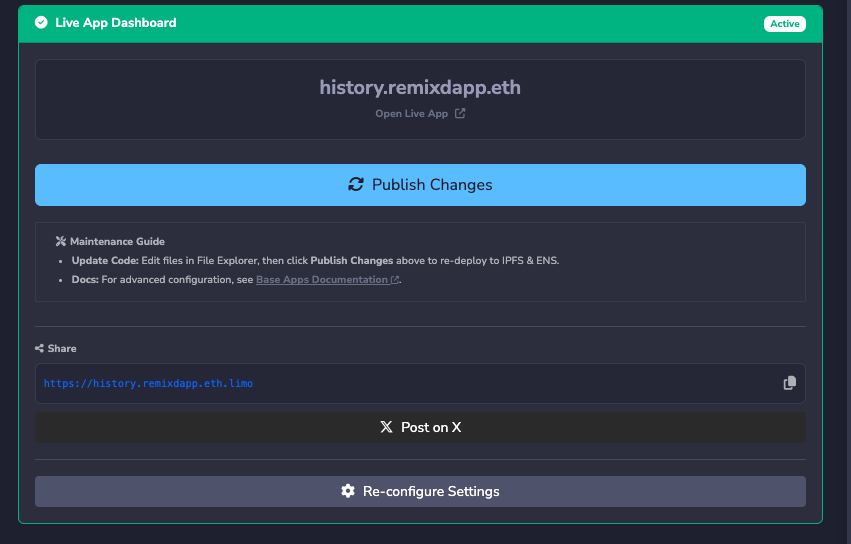
Managing your live mini app
After you verify, the Setup Wizard becomes a dashboard for your live app. From here you can:
Publish changes: Edit your dApp’s files in the File Explorer, or use Ask AI to Update, then click “Publish Changes” to redeploy it to IPFS and update the ENS record.
Share your app’s URL.
See previous deployments under Deployment History.
To move the app to a different subdomain, click “Re-configure Settings”, go to the Deploy step, and click “Change” next to the domain. You will then have to redeploy the app and verify the new URL on Base.dev again.